Barcode Tracking: The Complete Guide to Inventory Management with Barcodes and QR Codes
From insight to action – get to know Timly now!

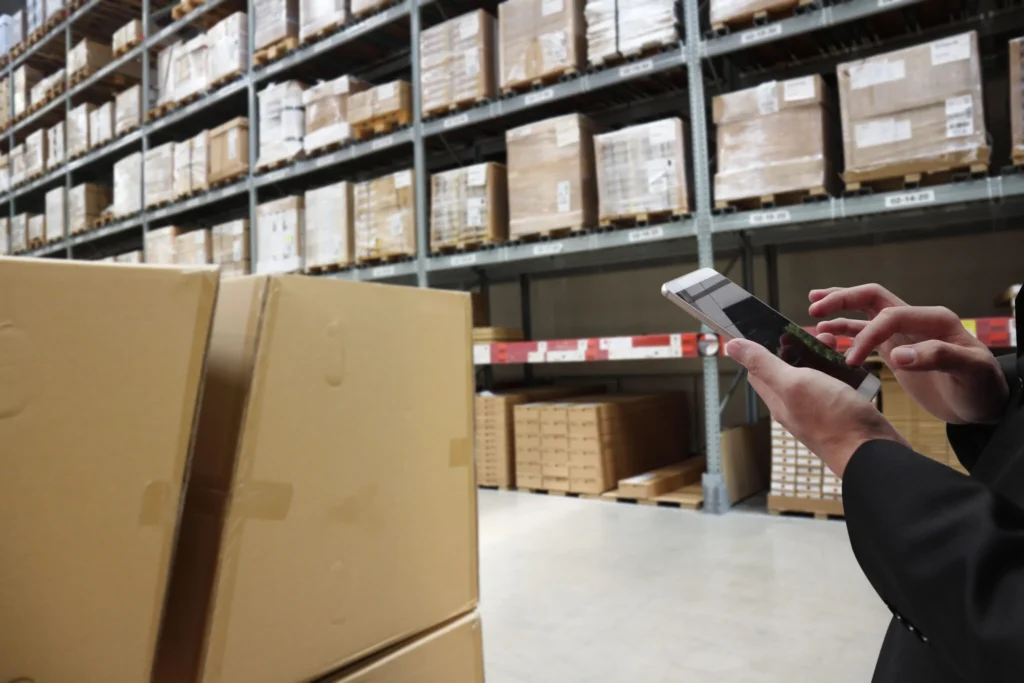
To be a successful business, there are few things as important as tracking inventory. Not just operational costs are kept in check by being aware of inventory data, but also customer satisfaction can be upheld. In order to know how to track inventory, choosing the right approach is step one. While there are many different ways to successfully manage inventory (e.g. manual, automated, or hybrid), inventory management with barcode scanning is one of the most reliable approaches.
With today’s technology, barcode tracking and QR code inventory tracking stand out as robust methods for businesses looking to boost efficiency, minimize errors, and streamline asset control.
Companies often start barcode tracking with spreadsheets or disconnected scanning tools. As operations grow, this quickly becomes difficult to manage across locations, employees, maintenance schedules, and inventory movements.
Platforms like Timly combine barcode scanning, asset tracking, location management, and maintenance workflows in one centralized system.
Understanding Barcode Inventory Tracking
Barcode inventory tracking transforms how products and assets are managed. In this system, each item receives a unique barcode—linked to essential information within a company’s inventory management software. Scanning these barcodes during receipts, transfers, audits, sales, or (most importantly) regular stocktakes instantly updates records. This not only reduces manual data entry but ensures that physical stock levels and digital counts always sync in real time.
Barcode inventory tracking works flexibly for retailers, warehouses, manufacturers, and service providers. The key is that each product, part, or tool is assigned a barcode label, which is then quickly read using barcode scanning hardware, like specialized barcode readers, or a dedicated mobile app. This instant processing replaces time-consuming tally sheets and, by reducing manual intervention, drastically cuts down on errors.
Benefits of Inventory Management with Barcode Scanning
As mentioned before, there are many ways to ensure that inventory data is kept and is regularly checked. Although many of them provide a nice overview, inventory management with barcode scanning offers several critical benefits:
- Increased accuracy: Errors caused by manual entry are eliminated. Barcodes ensure each transaction reflects real item movement.
- Real-time tracking: Every scan updates your inventory records instantly, providing a live overview of your stock and asset locations.
- Efficiency gains: Employees can process incoming shipments, audits, or order picks much faster by scanning instead of writing or typing.
- Scalability: Businesses can add more items or locations to the system with ease, making barcode tracking suitable for growing companies and multi-site operations.
- Enhanced audit trails: Every barcode scan creates a record, supporting accurate audits and better accountability across your operation.

How to Track Inventory with Barcodes
Going from no inventory system and no overview to a barcode inventory system and barcode/GPS asset tracking is the first step in gaining an economic advantage over competitors. Setting up a system like that is straightforward but also requires careful planning. Here are the steps businesses typically follow:
- Organize your items in a database or spreadsheet: List all products, SKUs, locations, or assets needing tracking.
- Generate barcodes: Create unique barcode labels for each SKU, item, or group. Barcode generators or inventory software can be used to create them instantly. Use our barcode label generator to create custom barcode labels for inventory management and asset tracking workflows.
- Label each item: Print and affix barcode labels to every product, shelf, bin, or asset—anything you want to track.
- Use handheld barcode scanners or mobile apps: Set guidelines to the staff to scan barcodes when items are received, moved, sold, or counted, updating the system in real time.
- Monitor and reconcile inventory: Consistent barcode scanning ensures that system counts match physical reality, simplifying audits and stock verification.
Using barcodes to track inventory enables companies to know stock levels immediately. This lets them automate reorder points and easily track inventory in multiple locations.
Free Printable QR Labels
Once you’ve decided how to structure your inventory system, the next step is creating labels that employees can scan reliably in daily operations. Printable QR labels make it easy to tag tools, equipment, stock items, shelves, or storage locations without investing in expensive hardware upfront.
Businesses that are starting with QR code inventory tracking often use ready-to-print QR labels to speed up implementation and standardize scanning workflows across teams and locations.
You can use Timly’s free printable QR labels to quickly create and apply scannable inventory labels for your assets and stock items.
How to Set Up a Barcode Inventory System
- Step 1: Create asset categories
- Step 2: Generate barcode labels
- Step 3: Tag assets
- Step 4: Assign ownership/location
- Step 5: Train employees
- Step 6: Start mobile scanning
- Step 7: Schedule recurring audits
Common Warehouse Barcode Scanning Mistakes
Warehouse barcode systems often fail when:
- Labels are inconsistent
- Employees use different naming conventions
- Inventory locations are poorly organized
- Barcode maintenance is ignored
- Mobile scanning workflows are not standardized
A successful barcode implementation requires standardized asset naming, structured warehouse zones, employee training, and regular auditing.
QR Code Inventory Management: Advantages and Applications
Before looking at benefits of QR code inventory management and inventory management software like Timly, it is important to take a closer look at the codes themselves.
What is a QR Code?
- A QR code, short for “Quick Response,” is a compact, scannable pattern that stores information in a grid of black and white squares.
Measuring just a few centimeters, QR codes can be printed on stickers, tags, or directly onto objects. Originally developed by the Japanese company Denso Wave in 1994, QR codes were designed to streamline logistics in the automotive industry. They’ve since become a useful tool for quick data sharing in all kinds of situations.
Denso Wave eventually made the QR code standard freely available, making it widely adopted across industries. Depending on the version, QR codes can hold different amounts of data. The smallest version, Version 1, uses a 21×21 grid and holds up to 152 bits, while the largest, Version 40, has a 177 x 177 grid and can store around 2.8 KB of data.
Key Features of QR Codes
- Position Markers: The three rectangular symbols ensure the scanner can quickly locate and properly orient the QR code.
- Data Encoding: The grid inside the code represents binary data that can encode text, URLs, or even complex information like images.
- Error Correction: QR codes have built-in error correction. Even if up to 30% of the code is damaged or obscured, it remains scannable.
“Barcode tracking remains one of the simplest ways to eliminate manual errors and improve operational speed. By reducing reliance on handwritten entries and repetitive manual checks, organisations can streamline everyday processes, increase data accuracy in real time, and ensure that items are consistently recorded and traceable across the entire workflow.“
Mehmeti
Timly Software AG

Advantages and Applications of Using QR Code Inventory Management
QR code inventory management builds on traditional barcodes, adding flexibility and data richness. Unlike barcodes—which usually contain a simple product number—QR codes can include serial numbers, batch details, supplier info, or links to full digital records. This capacity greatly enhances trackable QR codes for diverse business needs: from asset tracking and tool checkouts to detailed maintenance and compliance histories.
In comparison with barcodes, QR codes are highly resilient—they’re easy to scan even in less-than-ideal conditions. Plus, they don’t require expensive or bulky hardware. With most smartphones equipped to scan QR codes directly through their cameras, employees can seamlessly integrate inventory management into their daily routines, no matter where they are.
QR code inventory tracking works exceptionally well for both fixed and mobile assets. By attaching asset tags with QR codes, any piece of equipment, shelf, or box can easily be scanned into Timly’s software by anybody with a smartphone.
The scan then pulls up detailed information: when it was last counted, who’s using it, where it should be located, and if any service is required. Depending on the software that the inventory is done with, companies can decide what information should be shown and who should have access to this. Using direct-access-labels, for example, gives companies the capability to attach labels to items that can be viewed by anybody with a smartphone, no matter whether they are using the dedicated solution or not.
This approach easily powers QR code asset management, QR code asset tracking, and QR code equipment tracking for seamless oversight.
Summarized Benefits of QR Code Asset Management
- Compact and Flexible Labeling
QR codes can store a large amount of data in a very small space. This makes it easy to create tiny stickers that can be affixed to even the smallest items.
- High Error Tolerance
One of the standout features of QR codes is their error tolerance. With the highest level of error correction, up to 30% of the code can be damaged, and it will still scan correctly.
- Smartphone Compatibility
Perhaps one of the biggest advantages of QR codes is their universal compatibility. Both Android and iOS devices come with built-in QR code scanning functionality, so employees can use their smartphone cameras without needing additional apps or hardware.
- Seamless Access to Asset Information
Once a QR code is scanned, users can instantly view linked asset profiles. This enables real-time updates and quick access to critical information, streamlining workflows and ensuring inventory data remains current.
Implementing Barcode and QR Code Asset Tracking
There are a few steps or things to think about for businesses before they can unlock the power of barcode asset tracking and qr code asset management. Some of them include:
- Selecting the right codes: For most products, 1D barcodes suffice. For more complex or important assets, QR codes are better.
- Choosing durable labels: Oftentimes labels must be able to withstand handling, storage, moisture, and abrasion. Many suppliers offer industrial-grade asset tags with QR codes or weather-resistant barcode stickers.
- Standardizing label placement: Codes should be placed in accessible, consistent locations so staff can scan without fumbling or missing tags.
- Deploying suitable hardware/software: Inventory management with barcode scanning should integrate with a company’s POS, ERP, or cloud system.
- Training staff: Correct use is crucial to barcode inventory tracking success. Employees need to be trained with regard to scanning, record-keeping, and exception reporting for all codes used (barcodes, QR codes).
- Establishing workflows: Company’s should build barcode inventory control into every process: receiving, stock movements, audits, order picking, and shipping. It should become the norm.
Tracking Inventory Across Multiple Locations
For companies managing several warehouses, retail sites, offices, or departments, both barcode and QR code inventory tracking is invaluable. Every location syncs changes to a central system, ensuring that goods never go missing in transfers or stock counts. This approach helps prevent lost, miscounted, or misplaced items and creates a single source of truth for all inventory data.
For many companies, it is also crucial to track inventory with barcodes at inbound docks, on shelves, and during shipment. For high-value tools, fleets, or assets, trackable QR codes deliver enhanced tracking—recording custody, location, and service history thereby making sure that construction asset tracking is also possible.
No matter whether inventory is stationary or mobile, barcode inventory tracking ensures nothing slips through the cracks.

Barcode vs. QR Code Inventory Tracking
Both methods, barcode and QR code inventory tracking, dramatically increase inventory visibility and accountability, leading to better data, and more customer satisfaction. Because of the differences in both methods, many businesses use a hybrid approach, reserving barcodes for simple inventory and QR codes for complex assets or advanced tracking needs.
| Feature | Barcode Inventory Tracking | QR Code Inventory Tracking |
|---|---|---|
| Data Capacity | Limited (e.g., SKU only) | High (details, URLs, history) |
| Scanning Device | Scanner, camera, app | Smartphone, app |
| Use Case | Retail, consumables | Equipment, assets, maintenance |
| Label Size/Shape | Linear, small | Square, can be larger |
| Asset Tag Customization | Basic | Detailed, multi-purpose |
Common Inventory Tracking Mistakes and Practical Solutions
Relying only on manual spreadsheets or missing label scans can quickly erode accuracy and diminish the value of your barcode or QR code tracking systems. To maintain reliable data and protect investments, businesses should:
- Conduct regular audits using barcode scanning during cycle counts.
- Review scan histories for unscanned stock or misplaced assets.
- Periodically validate asset tags with QR codes for wear or damage.
- Integrate barcode inventory tracking with point-of-sale and fulfillment systems to prevent duplicate or missed transactions.
Proper use of barcode and QR code equipment tracking reduces stockouts, understocking, spoilage, and costly discrepancies.
Barcode and QR Code Tracking: The Backbone of Digital Inventory Control
In conclusion, barcode tracking and QR code inventory management like Timly’s smart asset management solution are essential tools for modern businesses. They provide precise, scalable, and efficient control over inventory. With these technologies, companies gain real-time visibility and reduce manual errors. In addition, assets and stock can be managed across multiple locations with minimal effort.
Also, barcode and QR code systems lower costs and save staff time. They support better decisions, clear audit trails, and higher customer satisfaction.
As digital transformation advances, using barcode, QR code, and RFID tracking keeps inventory processes agile, data-driven, and ready for a growing, competitive market.
FAQs About Barcode Tracking
Related Articles

What Is Inventory Management? Definition, Process, & Best Practices
August 11, 2025
Inventory: Helpful Inventory Excel and PDF Lists for a Reliable Inventory Audit
November 9, 2025
Days Inventory Outstanding: Formula, Calculation, and How to Improve It
September 11, 2026
QR Code Inventory Tracking: How It Works, Benefits & Step-by-Step Setup
May 11, 2026
Inventory Policies and Procedures: Complete Guide to Better Stock Control
April 30, 2026