Resource Scheduling and Deployment

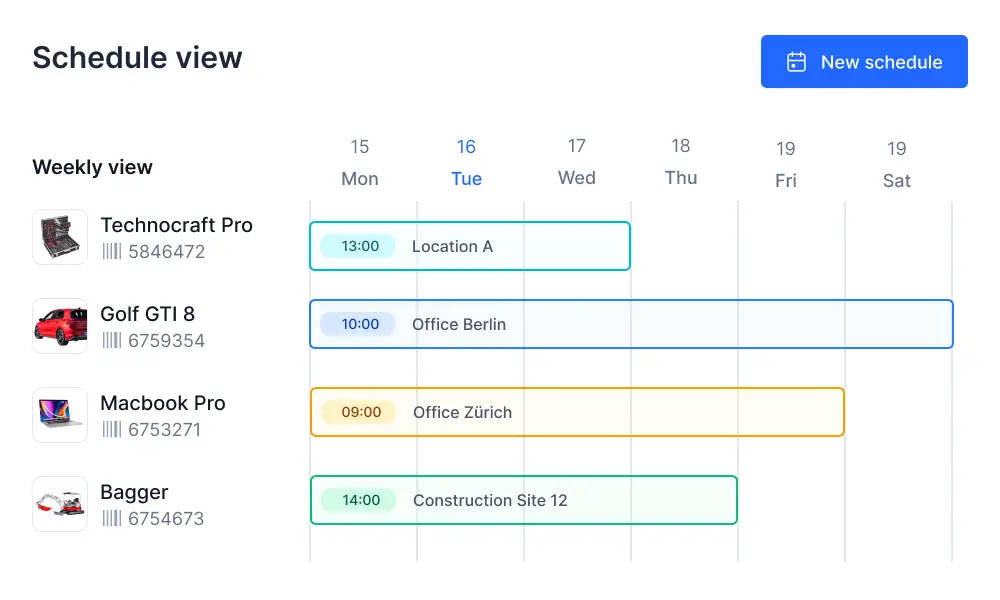
Timly offers an advanced planning view that clearly displays the availability of your resources. From there, you can reserve inventory and assign it to people, locations, or projects.
⌀ 4.9 | 400+ Ratings

Advanced Planning View: Inform, Reserve, Schedule

Separate Calendar

Full-featured calendar for each item

Check Availability

View upcoming appointments and reservations

Schedule Appointments

Easily allocate resources and equipment

Transparent Appointment Management

With Timly’s appointment management, you can schedule deployments, maintenance, and inspections centrally in one place. All relevant appointments are directly visible on the item, ensuring availability and responsibilities are always clearly traceable.

Dedicated Calendar for Each Asset

Every item has its own calendar, where upcoming tasks and assignments can be recorded in detail.

Manage Assignments Transparently

All authorized employees can see when a resource is available, eliminating inquiries and preventing scheduling conflicts.

Track Maintenance and Inspections

Maintenance dates and required safety checks can also be recorded in the calendar. Execution is managed through the ticketing system.

Logs and History

Timly records details for every booking, making it always clear which action was performed by which employee. Past actions are preserved in the history.
Scheduling and deployment planning with Timly
Redesign scheduling with Timly

Clear Resource Scheduling

Timly’s scheduling features turn your inventory into a transparent resource pool. Availability, assignments, and plans are displayed clearly, allowing you to quickly locate and efficiently allocate items.

Manage deployment planning with Timly
Manage scheduling and deployment planning with Timly

Advanced Planning View

In the inventory overview, you can switch to the planning view, where item availability is displayed in a clear, organized list.

Convenient Filtering Options

Flexible filters make it easy to create tailored views. This allows you to quickly locate the required items and check their availability.

Intuitive Assignments

Assignments can also be made using categories, such as employee roles or project names, making resource scheduling intuitive.

Practical Real-Time Display

Every booking is updated in real time. Thanks to Timly’s cloud-based design, all employees always have access to the most current data.

Technical Documentation

Frequently Asked Questions

Timly works in an item-oriented way. Each item's profile contains all the necessary information, giving authorized employees access to all data at any time. At the same time, the information can be accessed from other contexts and automatically linked. This eliminates the need for manual schedule reconciliation.

Items can be assigned to persons and places. Places are logical groupings that can be created for rooms or work areas, making assignment options highly flexible.

If appointments change, all entered details can be adjusted at any time using the editing option. Likewise, canceled appointments can be easily deleted.

Experience Live Resource Scheduling and Deployment. Request a Demo Now!