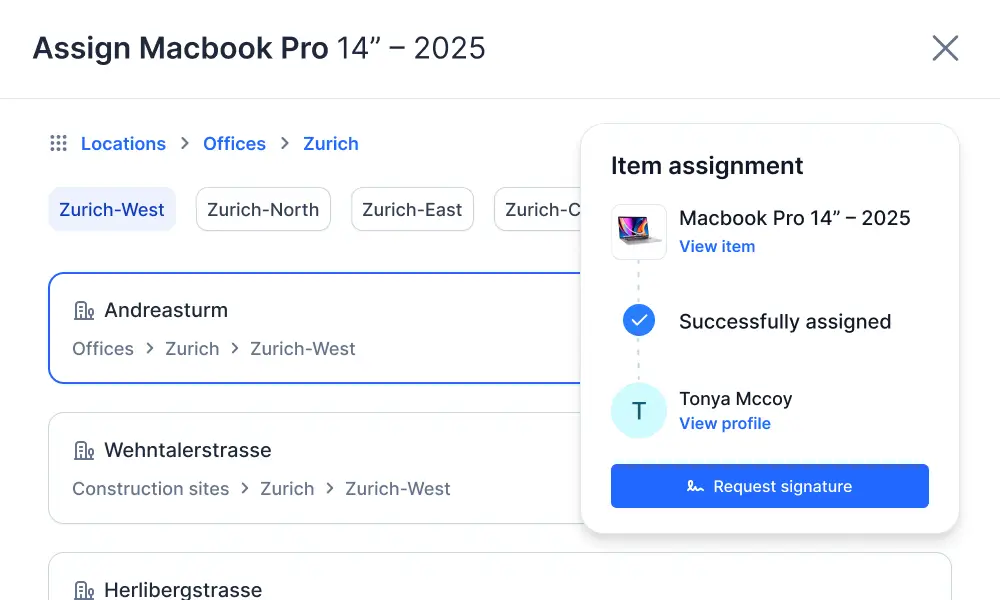
Assignment, Return, and Transfer of Items

Tools and materials can be easily assigned in Timly using a barcode scanner. No cumbersome on-site entries are required. Both the checkout and the later return are recorded using the internal barcode scanner.

⌀ 4.9 | 400+ Ratings

Assignment, Return, and Transfer: Scan, Save, Document Location

QR Code for Identification

QR code alone is enough to identify items

Barcode Scanner in the App

No additional hardware or software required

Easy Scanning

Access with a simple touch gesture in the app

Assignments Without Typing

Items can be assigned completely without keyboard input.

Return Confirmation

Returns are easily confirmed by scanning the item

Intuitive Location Management

Item locations are displayed in real time

Barcode Scanner and QR Codes as a Practical Solution

With Timly’s scanning feature, you can quickly and accurately capture inventory, people, and locations—directly in the app and without any additional hardware.

Scan Directly in the App

Use your smartphone camera in the Timly app to scan QR codes and instantly access all associated information.

Simplified Workflow

Assigning and returning items becomes a seamless process: one scan completely replaces manual data entry.

QR Code as a Reliable Solution

QR codes work even in low-light conditions and, thanks to error correction, often remain readable even if stickers are slightly dirty or worn.

Time-Saving On-Site Solution

Assignment, return, and transfer can be completed in seconds directly at the location, with scans automatically logged in real time.

Reduce Errors and Increase Adoption

Scanning replaces manual entry of identification numbers, prevents mistakes, and boosts employee adoption through simple, fast processes.
Assignment, return, and transfer of items with Timly
Assignment, return, and transfer of items with the Timly app

Identify and Track People, Locations, and Inventory in Real Time

In Timly, QR codes serve as a universal key for all entities, keeping assignments, locations, and responsibilities up to date at all times. This creates transparency, saves search time, and promotes responsible use of work resources.

Identify inventory items using QR codes
Assignment, return, and transfer of items with Timly software

QR Code for Universal Identification

Employees, rooms, and inventory items can be uniquely identified using QR codes.

Simple and Secure Solution

QR codes do not contain any sensitive content; instead, they grant authorized users access to the information stored in Timly.

Capture Data in Real Time

Assignments and location changes are immediately visible to all authorized users when scanned, ensuring reliable, up-to-date information at all times.

Avoid Time-Consuming Searches

Because locations and assignments are continuously updated, there’s no need for lengthy searches for tools or machinery.

Enhance Transparency and Accountability

A shared information base within the team and individual assignments create clear responsibilities, promote careful handling of items, and help reduce costs.

Technical Documentation

Frequently Asked Questions

Information about locations and assignments often changes in practice. When these can be updated easily and quickly, it improves data quality.

QR codes can be applied as space-saving stickers on almost any item. They are also highly error-tolerant, making them ideal for demanding work environments. Even in low light or when affected by dirt or wear, they usually remain readable.

Timly processes scanned information directly within the app. Any content from tampered QR codes is detected and not executed.

The QR codes in Timly contain only encoded individual numbers used by the system to identify entities. They do not include any sensitive information that could be misused by third parties.

Experience the Assignment, Return, and Transfer of Items. Request a Demo Now!