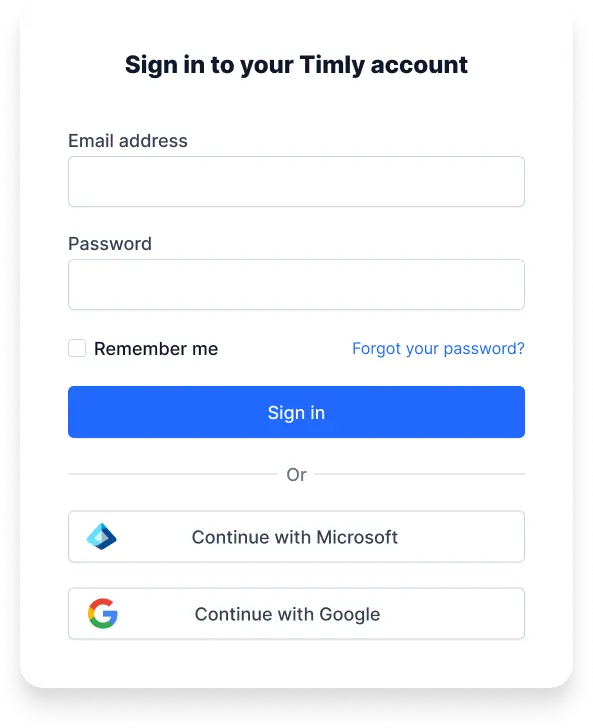
Integrate Timly with Single Sign-On
Seamlessly connect Timly to your existing cloud infrastructure. With Single Sign-On (SSO), users can access all relevant applications and systems with a single login—securely, conveniently, and without extra administrative effort.
Single Sign-On: Security and Convenience in One Step
Unified Cloud Environment
Bring all cloud services together in a single environment
User Management
Simplify user administration
Software-as-a-Service
No installation or configuration required
Inventory Management
Manage inventory through the cloud service
Enhanced Security
Includes numerous security features
Greater Convenience
Log in once and access all cloud services
Manage Cloud Services Centrally and Securely
With Single Sign-On (SSO), companies can control access to cloud applications conveniently and securely. Users log in just once and gain access to all authorized services—without managing multiple passwords.
Unified User Management
Centralized management of users and permissions reduces administrative effort and ensures consistent access rights across all connected systems.
Central Administration
Roles, policies, and access rights are managed uniformly, keeping structures transparent and resource usage clearly traceable.
Standardized Integration
Through established interfaces like REST APIs, Timly can be seamlessly integrated into existing identity and access systems—regardless of the provider.
Optimized Processes
Centralized authentication boosts both efficiency and data security by eliminating the need to maintain redundant user accounts.
Single Sign-On: Convenience and Security Combined
Single Sign-On combines maximum user-friendliness with modern security standards. Users enjoy easy access while sensitive company data remains fully protected.
Secure Authentication
SSO supports modern methods such as multi-factor authentication and passwordless logins for maximum security.
Simple Login
A single login is all it takes to access all authorized applications across the system.
Unified Access Management
Administrators control, from a central system, which features and tools employees are allowed to access.
Minimal Administrative Effort
Automatic synchronization and login linking eliminate the need for manual maintenance of accounts and group permissions.
Technical Documentation
Frequently Asked Questions
Local administrative effort is eliminated. There’s no need to install applications or updates on individual devices. All users work within a unified environment and access a central data repository.
The key is professional administration and the use of up-to-date security standards, as is standard with Timly. When these are in place, secure usage—comparable to government tax portals or online banking—is fully achievable. Using Azure AD further enhances security.
With multi-factor authentication, an additional method—such as a smartphone app or a smart card reader—is used. This ensures that intercepting a password or compromising a device alone is not enough to gain access. Passwordless login relies on biometrics or physical security keys, making it impossible to steal passwords.